
.png)

.svg)
CAD Defeaturing
Remove the CAD defeaturing bottleneck so your CAE teams can run more iterations at the same time
Overview
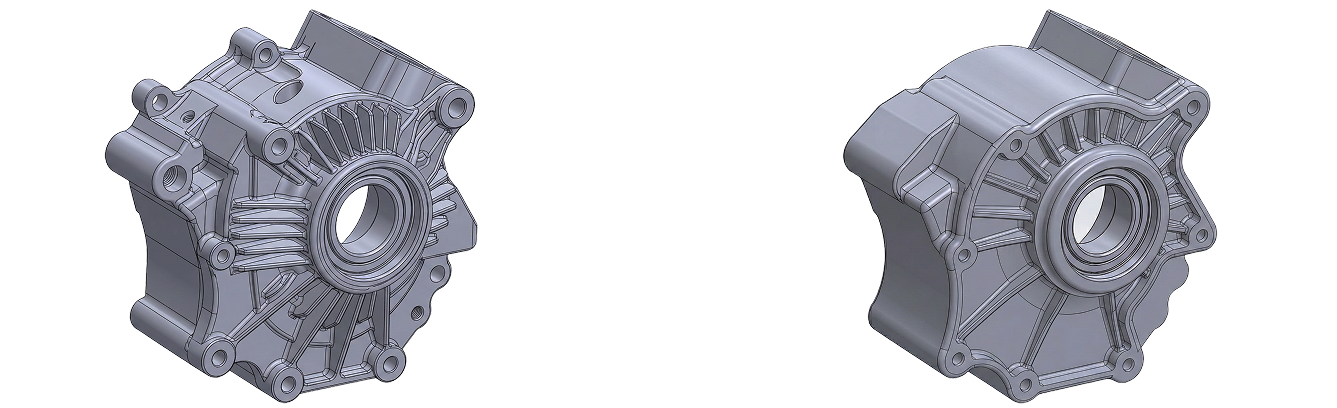
Engineers spend valuable time (up to 30 hours per complex model) manually preparing CAD geometry for CFD analysis: deleting gaps or overlaps, simplifying edges or solving so. Every design change forces them to repeat the entire process
Solution
Bench works like an engineer on your team, performing operations just like a human would, but significantly faster. Bench learns how to handle CAD preparation by applying the knowledge, processes, and logic your team chooses to share with it.
Engineers remain in control, reviewing Bench's work, approving actions, and providing context where needed. For CAD defeaturing, Bench handles the tedious cleanup work automatically, freeing your engineers to focus on analysis and design.
Bench works with your existing tools. No migrations needed. Seamless adoption.
Without Bench
Open the CAD model
Open the full CAD assembly, isolate the region or parts that need simplification.
Manually delete or edit features
Suppress or delete features (fillets, chamfers, holes, tiny details). If the model is non‑parametric, manually patch geometry (fill holes, extrude over details, smooth surfaces).
Export to CAE and attempt meshing
Export the defeatured model and import into your CAE tool of choice, generate a mesh, and run initial checks or trial simulations.
Refine geometry based on simulation feedback
CAE engineer flags regions that don’t mesh or are overly complex; CAD engineer returns to the model, does further defeaturing, re‑exports, re‑imports, and re‑meshes - often looping several times.
Confirm simulation‑ready variant
Once the CAE team can mesh and run studies reliably, the defeatured model is accepted as the simulation‑ready variant.
This pain point shows up most commonly when engineers need to defeature scanned, non‑parametric models and when they’re preparing models for simulation. In both cases, dense, over‑detailed geometries require hours of manual cleanup before CAE teams can reliably mesh and run studies.
Integrations Supported


Onshape
Integrate with OnShape for seamless design collaboration and real-time updates across your team.

Solidworks
Utilize Solidworks to enhance your design workflow with powerful simulation and modeling capabilities.

Catia
Use Catia for smart engineering design and product management, helping teams create innovative solutions for today’s industries.

SiemensNX
Integrate SiemensNX to optimize your engineering processes with cutting-edge design tools.

ANSYS
Use ANSYS for simulation solutions that boost innovation and efficiency, letting engineers test their designs virtually before production.

SimScale
Integrate with SimScale’s world-class cloud-native AI and simulation workflows.
How Bench Solves This
Defeaturing Setup
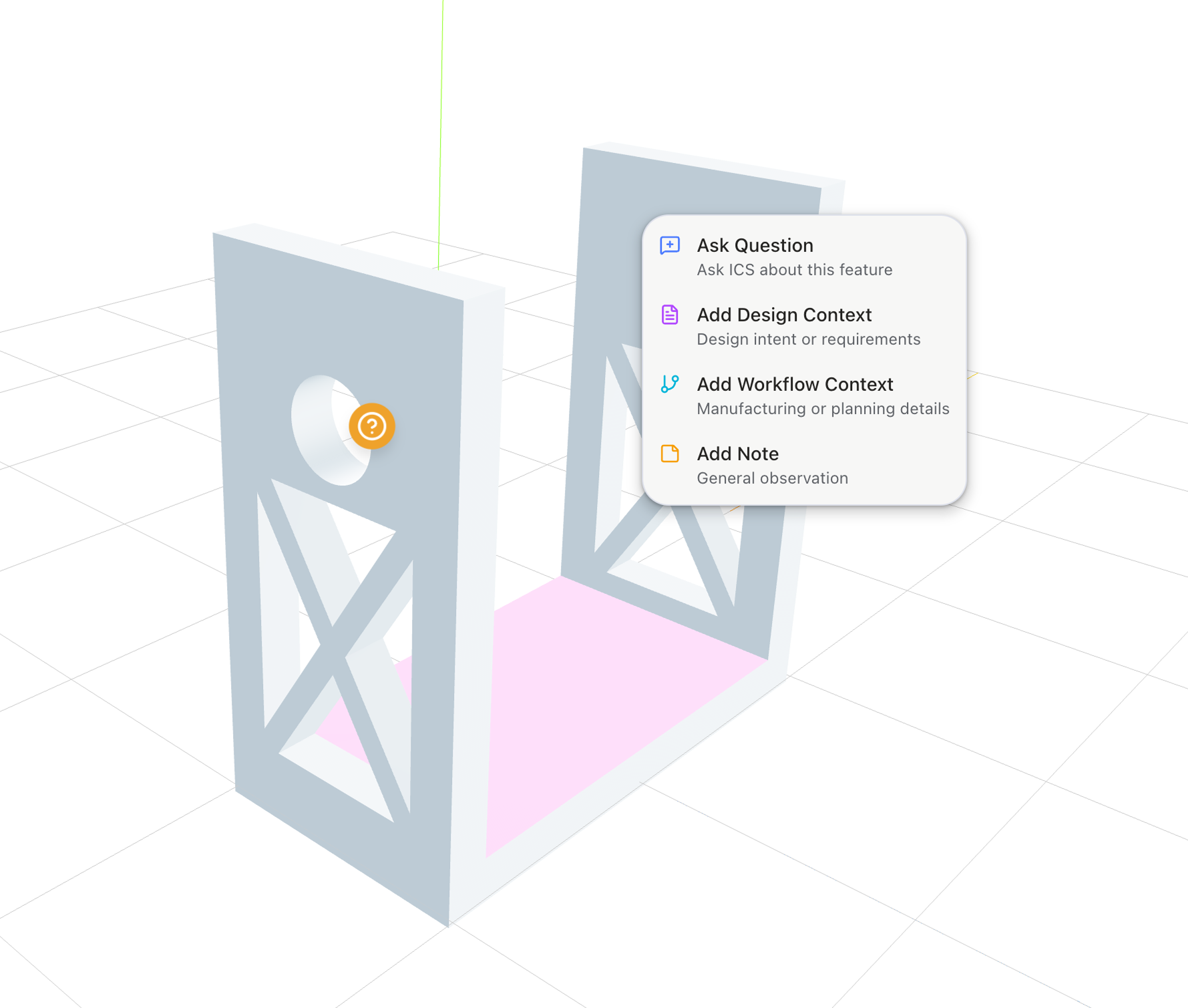
The user provides Bench context through document uploads (e.g. SOPs) and visually indicates defeaturing requirements directly on the CAD model (e.g. "remove everything inside this region" or "we don't care about fillets on this entire model").
This is a highly interactive, immersive, 3D-centred experience where you communicate with Bench as if it were a fellow engineer.
Plan, Approve & Execute
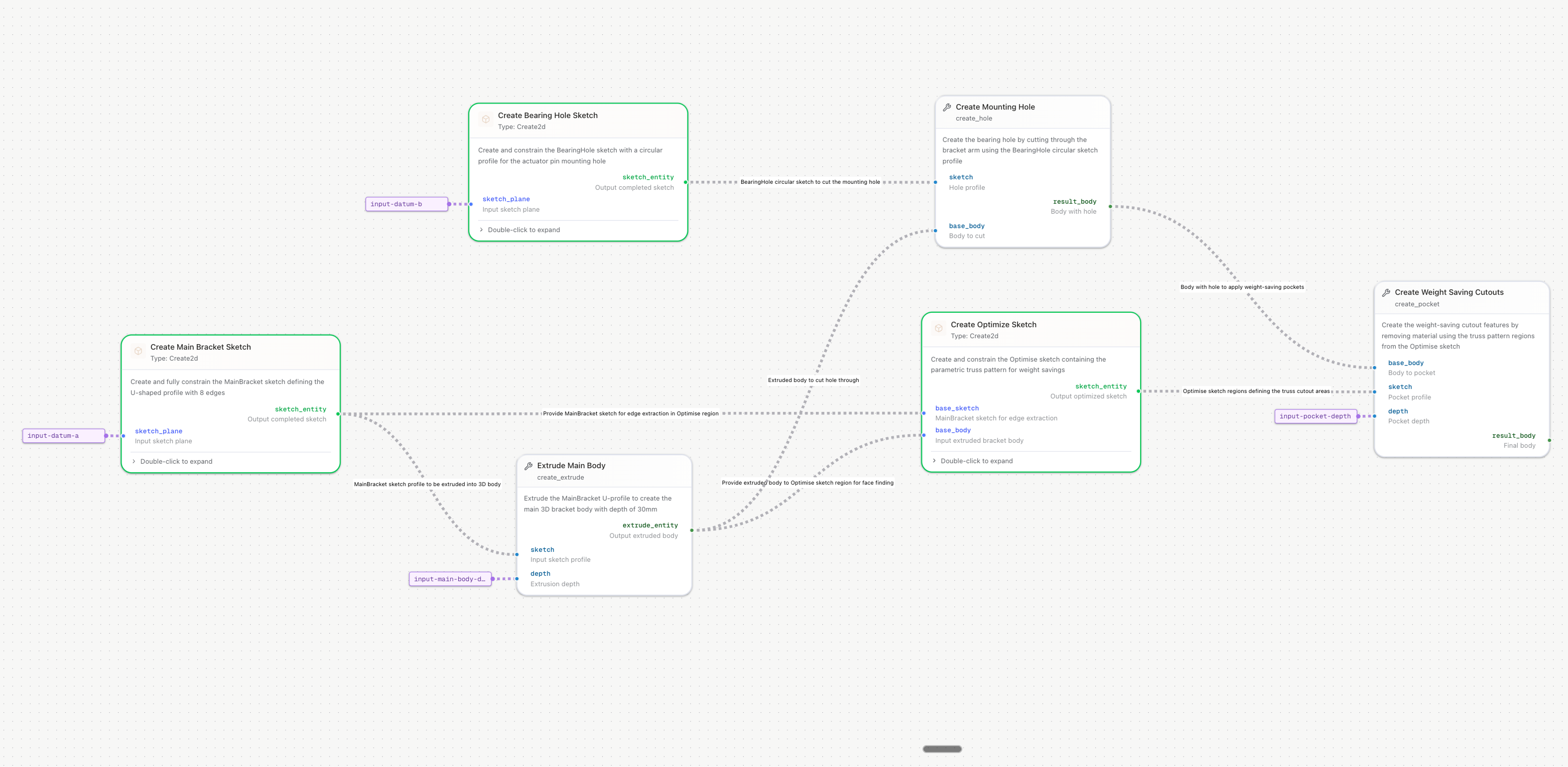
Bench takes all context and annotations into a unified prompt, generates an explainable, tunable workflow, and walks you through what it will do.
You can conversationally adjust the workflow (e.g. "keep this fillet", "also remove these holes").
Once approved, Bench immediately runs the workflow in your CAD of choice, completing defeaturing in minutes. The output is a defeatured parametric model, in the CAD's native format.
Review & Iterate
Bench highlights the changes so the engineer can review, branch or iterate on the resulting parametric model if needed.
Similar Use Cases

CAD Defeaturing
Remove the CAD defeaturing bottleneck so your CAE teams can run more iterations at the same time.

.svg)


Want to see a live demo?
Book a call - one of our founders will show you what you can achieve with Bench.
Request a Demo

Request a Demo


